









FAQ
How to diagnose your phone?
Preface
This document outlines basic diagnostic methods for your IP phone or SIP phone to troubleshoot common issues like call failures, no audio, registration errors and function abnormalities.
Resolution
-Via Syslog
- Download syslog from the phone’s web page:
- Enter the web,and then click Management->Configuration->System Log to download system log.
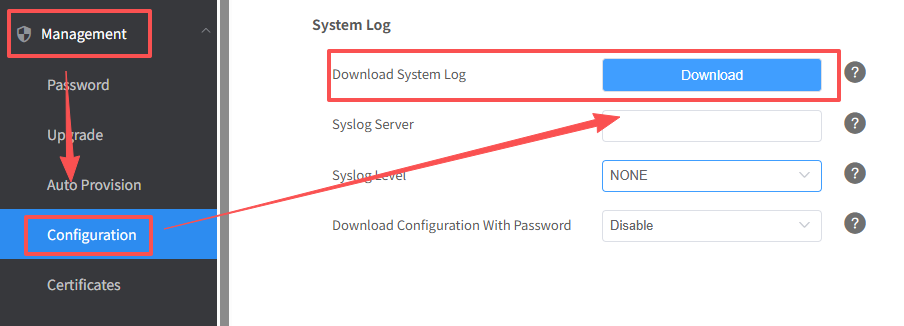
- Enter the web,and then click Management->Configuration->System Log to download system log.
- Capture the syslog traffic using Wireshark:
- Set the syslog server,please navigate to Management->Configuration->System Log.
Set the address of the Syslog server to a computer address(e.g.:10.3.3.59) that in an abnormal environment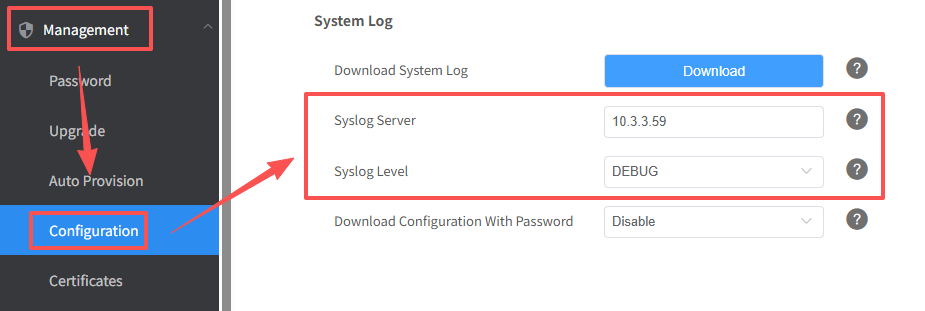
- Open wireshark to filter the IP of the phone and start capturing packets
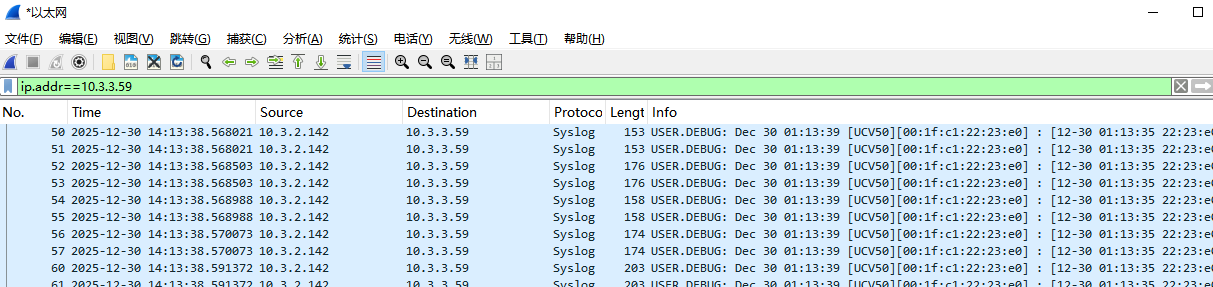
- Please reproduce the problem and stop capturing packets when the problem occurs.
- Then please save the package and send it to Htek support.
- Set the syslog server,please navigate to Management->Configuration->System Log.
-Via Pcap
- Get pcap from the phone locally.
- Navigate to Management->Tools->Pcap Feature,select Start. Then, repeat the steps on the phone to reproduce the issue. All the pcaps will be recorded. Select Stop to stop the trace after the test.
- Click Export to export the pcap to Wireshark.
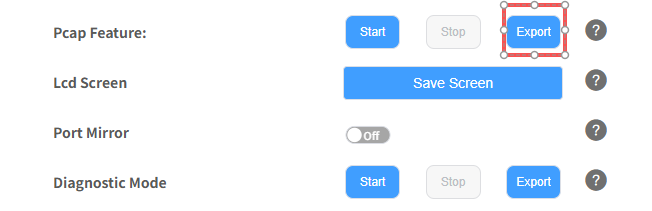
- Use Wireshark to get pcap.
- Use Start and Stop to capture the issue.
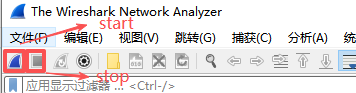
- Save the file and send it to Htek support.
- Use Start and Stop to capture the issue.