








FAQ
DND
How to enable DND feature?
- Set via the web side.
Go to Settings->Features->DND,and turn it on.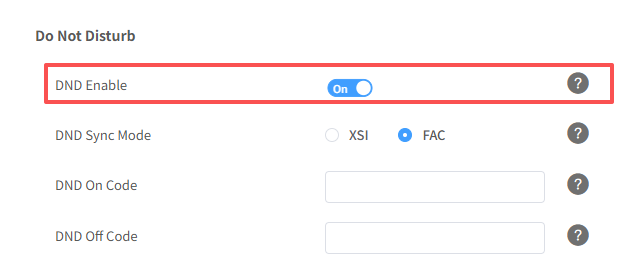
- Check that the DND feature is enabled on the phone side. If enabled, there will show a DND icon on the phone screen.
How does DND realize the whitelist function?
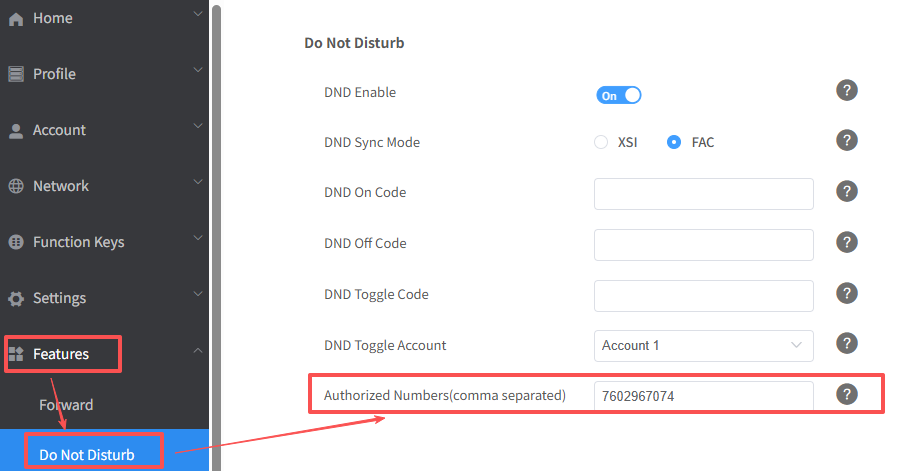
- Log in to the web user interface, then go to Features->DND-> Authorized Numbers and set DND Authorized Numbers to fulfill the requirement.
These numbers will not be DND when the DND feature is enabled.