








FAQ
Voicemail
How to access voicemail through the external network?
Voicemail is a server-side feature, below three methods below should be supported by your PBX server.
- If the outside phone can register to the same PBX server of the voicemail account that you want to listen to, you can dial the voicemail access code and password to access the phone’s voicemail.
Taking 3CX PBX as an example, if the voicemail access code is *4 and the extension is 100, you can dial *4 from an external phone. When prompted to enter the PIN#, do not enter any digits. After approximately 10 seconds, you will be prompted to enter the extension and PIN#. Enter 100 and the PIN# to access the voicemail messages. - Log in to your PBX server webpage with your extension to manage the voicemail.
- The PBX server has an application provided for the user and the user can access the voicemail through this application.
NOTE
It differs from different PBX servers.
How to disable subscribes for Voicemail?
Do one of the following:
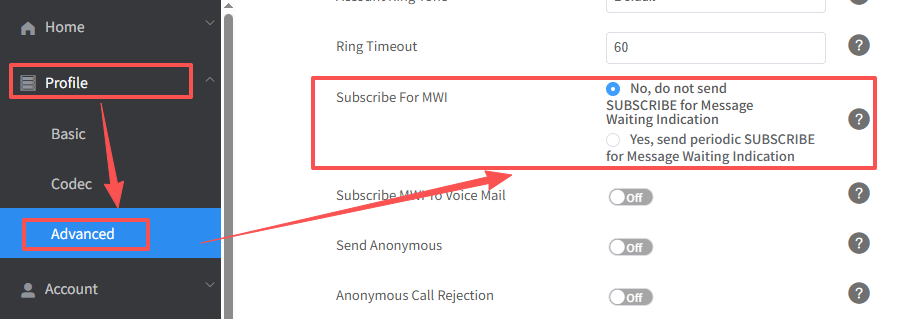
- On the web user interface, go to Profile > Advanced > Subscribe for MWI > No.
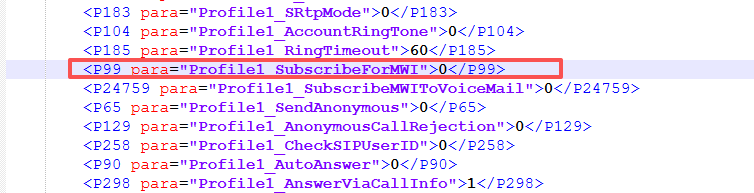
- Auto provision parameter: