









FAQ
Transfer
How could I make a transfer when I get a call?
IP phones support three types of transfer:
- Blind transfer— Transfer a call directly to another party without consulting
- Attend transfer— Transfer a call with prior consulting
- Semi-attend transfer— Transfer a call after hearing the ring-back tone.
If you want to use the Transfer function, please follow these steps:
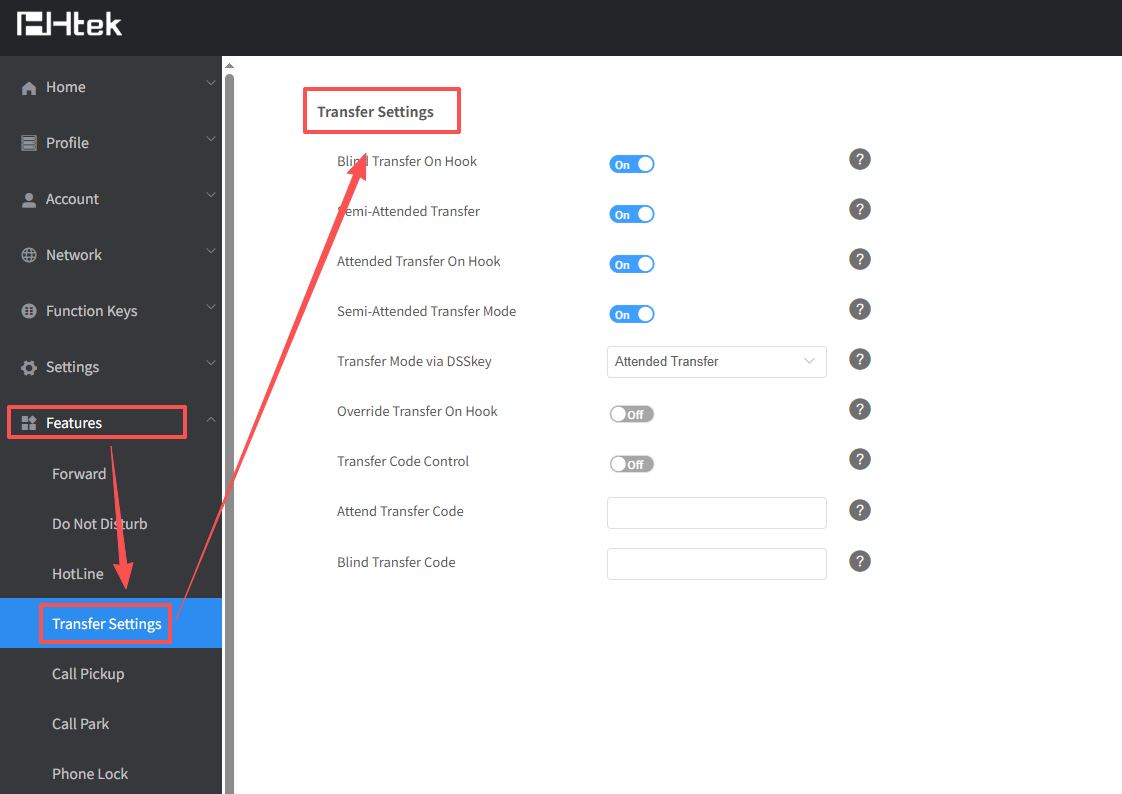
- Log in the web interface and click Features->Transfer Settings.Turn on the transfer mode you need.
- When we want to transfer a call, we can press the Transfer softkey to enter the number you want to transfer to.
- After entering the number, the phone interface will prompt you to select a transfer mode.
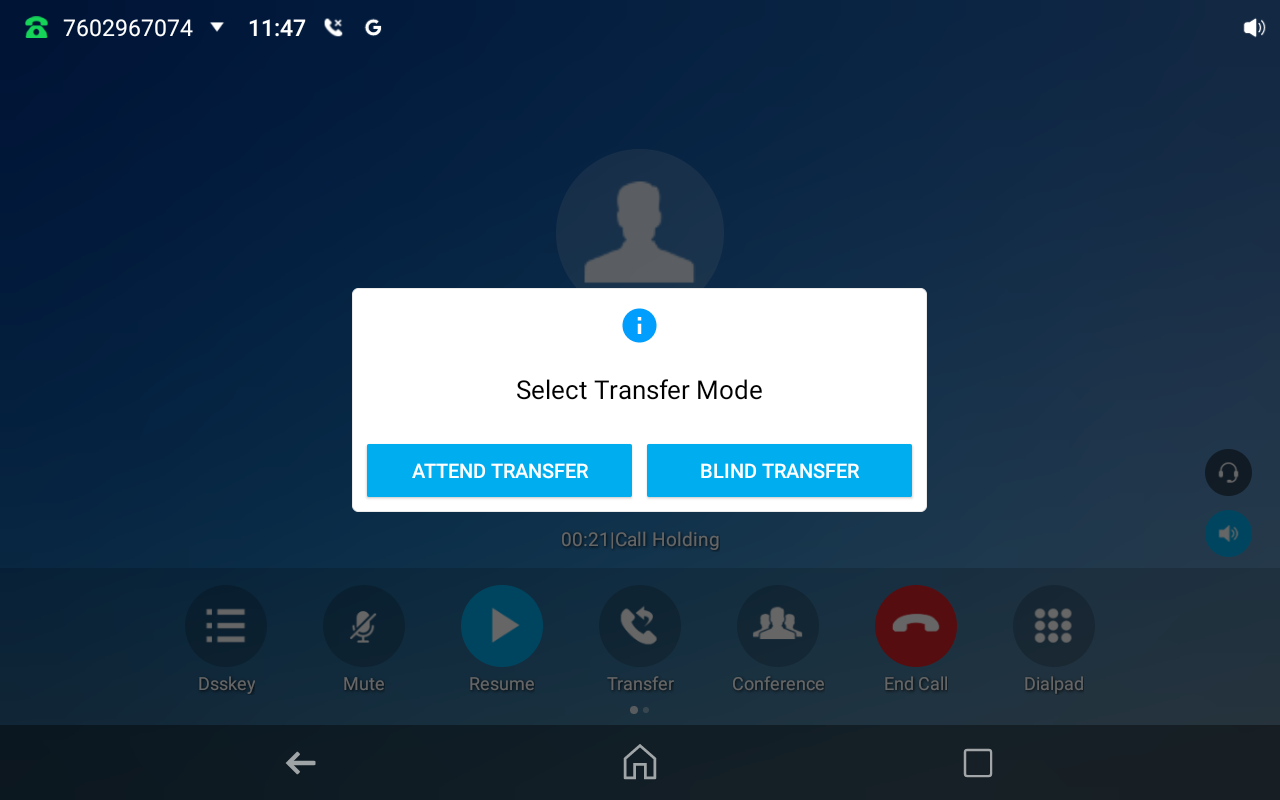
- If you select Blind Transfer, the call will be transferred to the target number immediately.
If you select Attended Transfer, the phone will initiate a call with the target party. After speaking with them, press the Transfer softkey again to complete the transfer.