









FAQ
Ringtones
How to configure different ringtones for internal & external calls?
You can do as the following:
- Add a contact group for internal extension numbers and set up a ringtone for it.
- For other numbers from outside use the default ringtone.
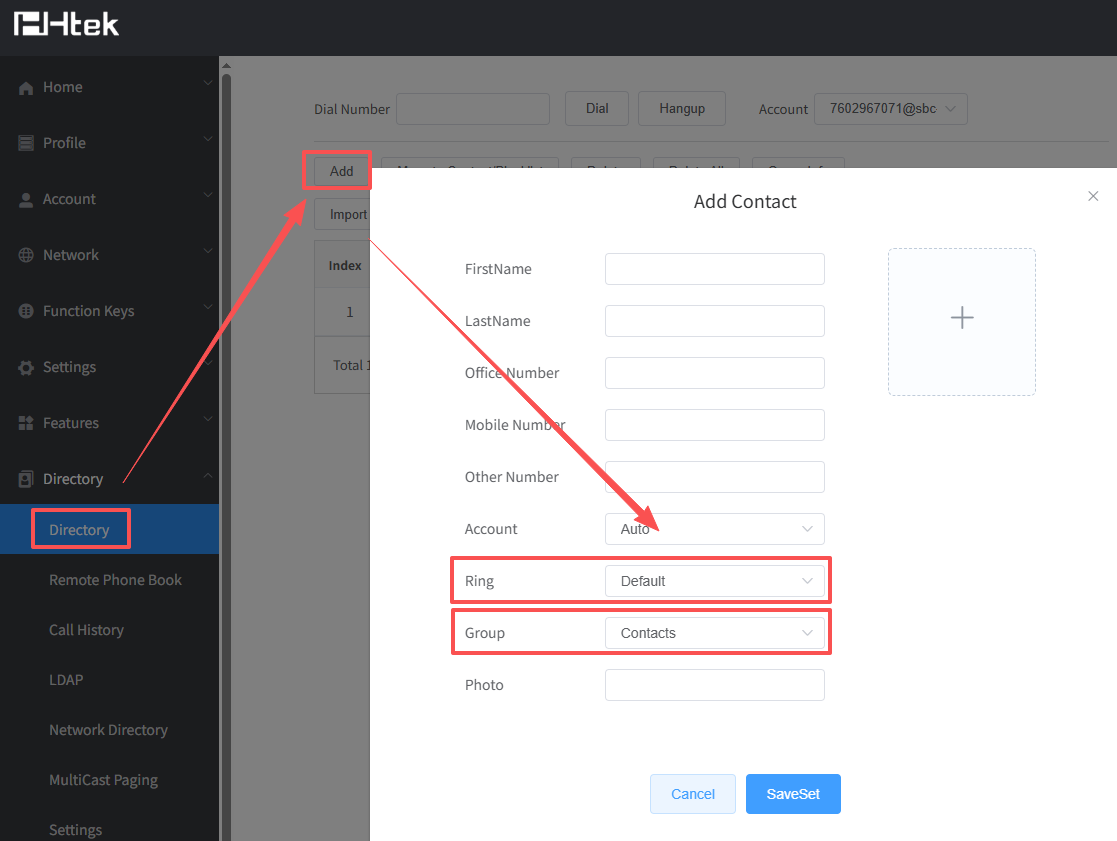
Configure Ring Tone
There are 5 types of ring tone:
- Alert Ring
- Local Contact Ring Tone
- Local Contact Group Ring Tone
- Profile Ring Tone
- Global Ring Tone
- Configure Global Ring Tone
This is the most used type of ring tone, but also the lowest priority.
If no others type of ring tone rule be matched, when the phone received an incoming call, the phone will play global ring tone.
On phone’s web -> Setting -> Preference, configure the Ring Tones.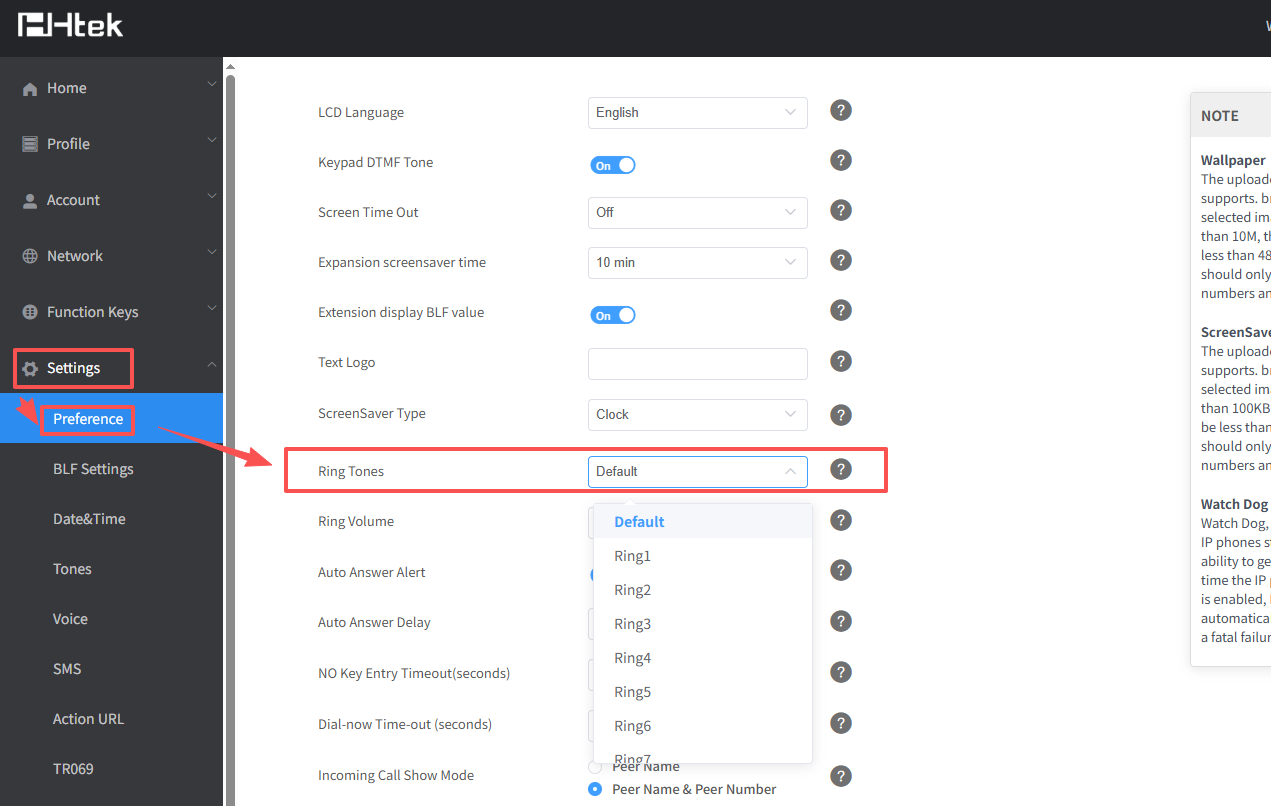
On phone’s LCD -> Settings -> Basic -> Ring Tones.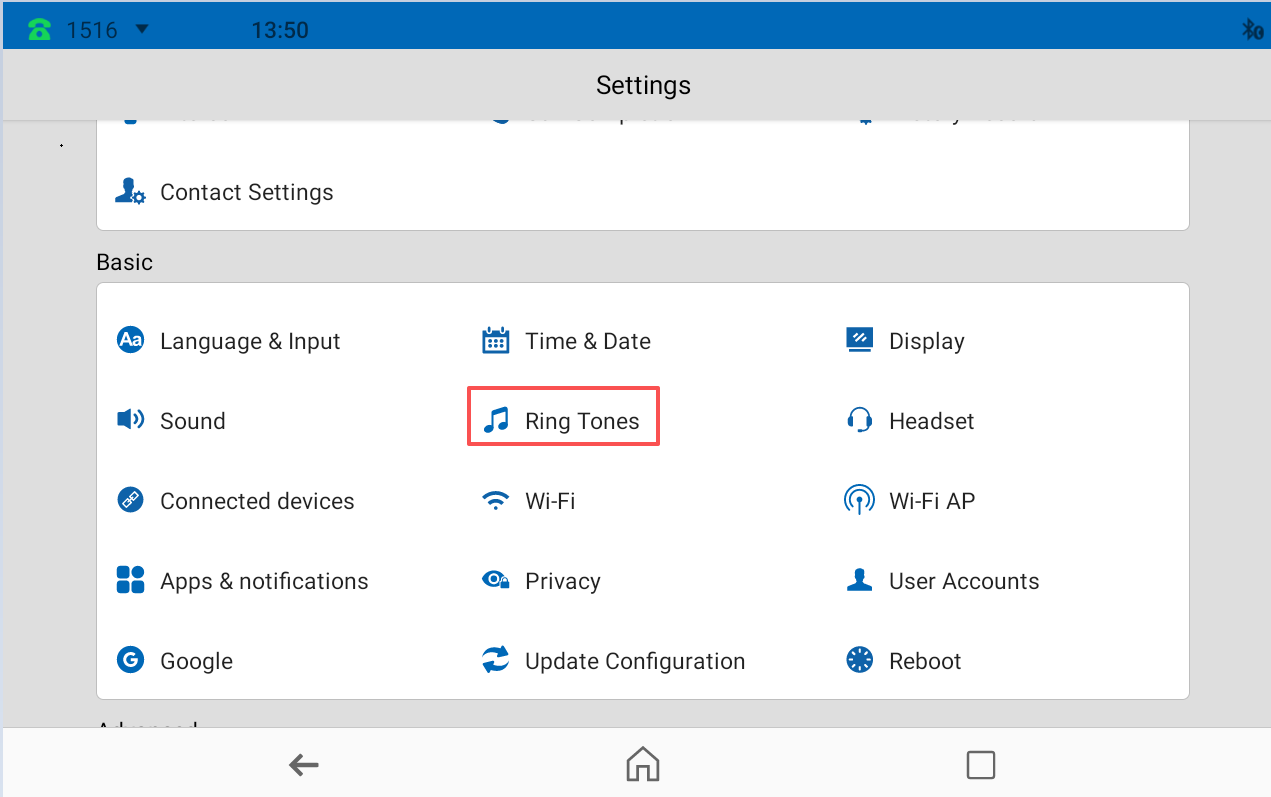
- Configure Profile Ring Tone
Profile ring tone works when the specific account that uses this profile received an incoming call."A phone has up to 6 profiles.
Multiple account could use a same profile, so they will have the same profile ring tone." - Configure Local Contact Group Ring Tone
You could configure ring tone for a local contact group. This parameter will influence all the local contacts who belongs to this group but has no local contact specific ring tone.
On phone’s web -> Directory->Directory, when you add a Group, set a ring tone for it. (You cannot set a ring tone for an exists group on webpage)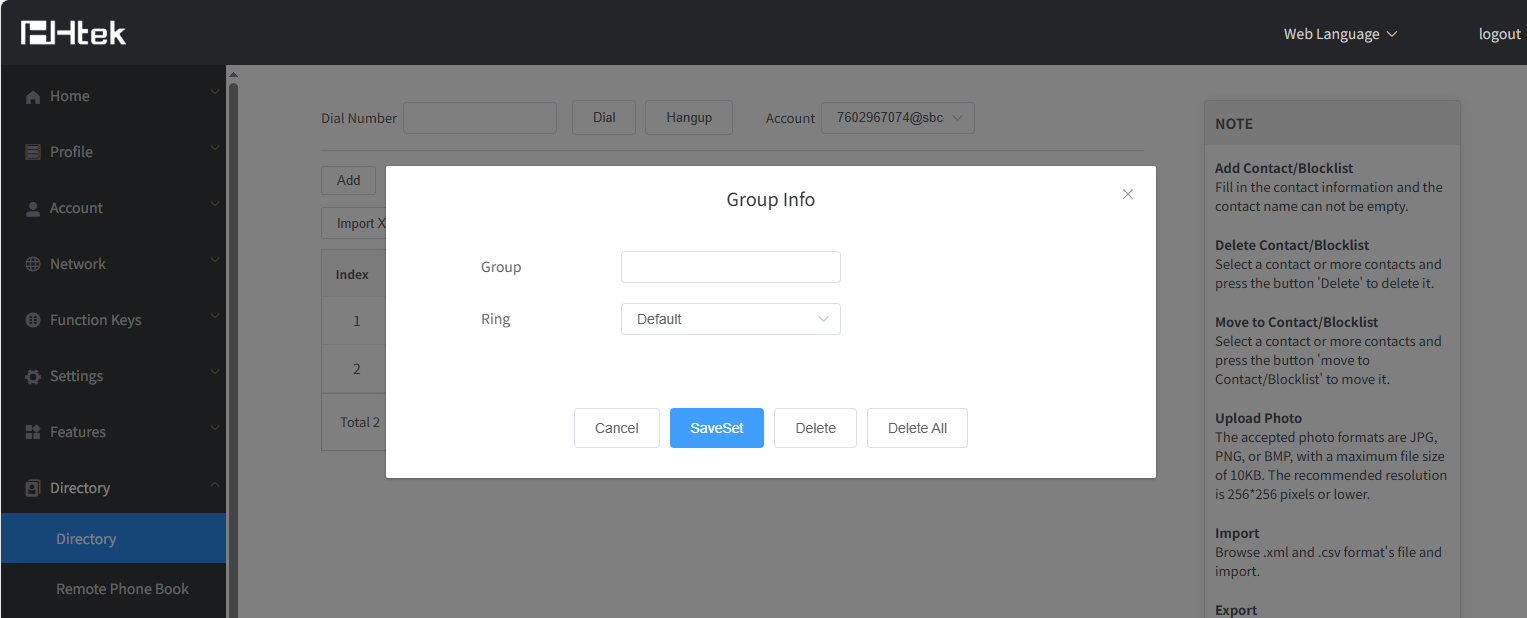
On phone’s LCD → Directory → (Local) Contacts, add a new local contact group or enter the details of the exists local contact group to set a ring tone for the group.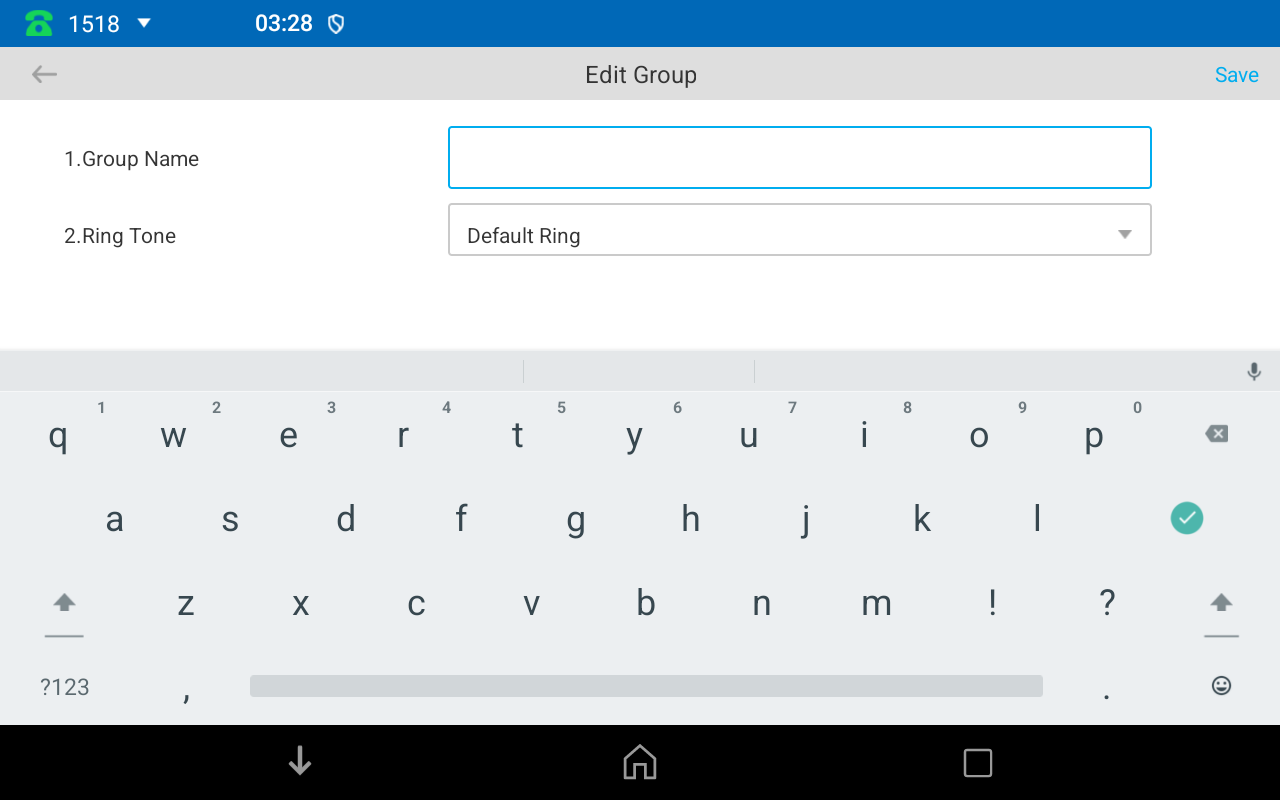
- Configure Local Contact Specific Ring Tone
You could configure ring tone for a specific local contact.
On phone’s webpage ->Directory ->Directory, when you add a contact or choose a exists contact, set the Ring parameter.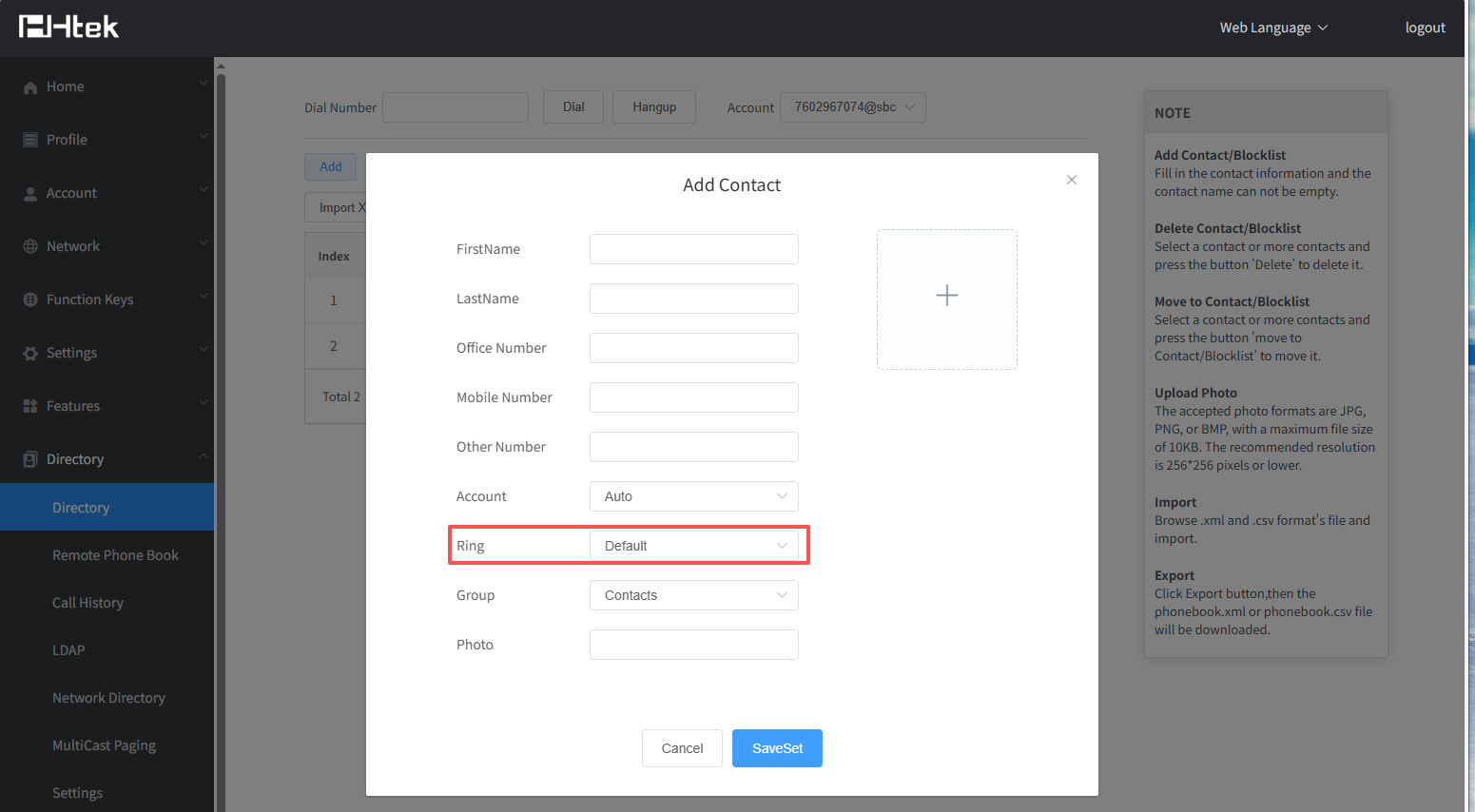 |
|
On phone’s LCD -> Directory -> (Local) Contacts → Contacts, when you add a contact or edit a exists contact, set the Ring Tone parameter.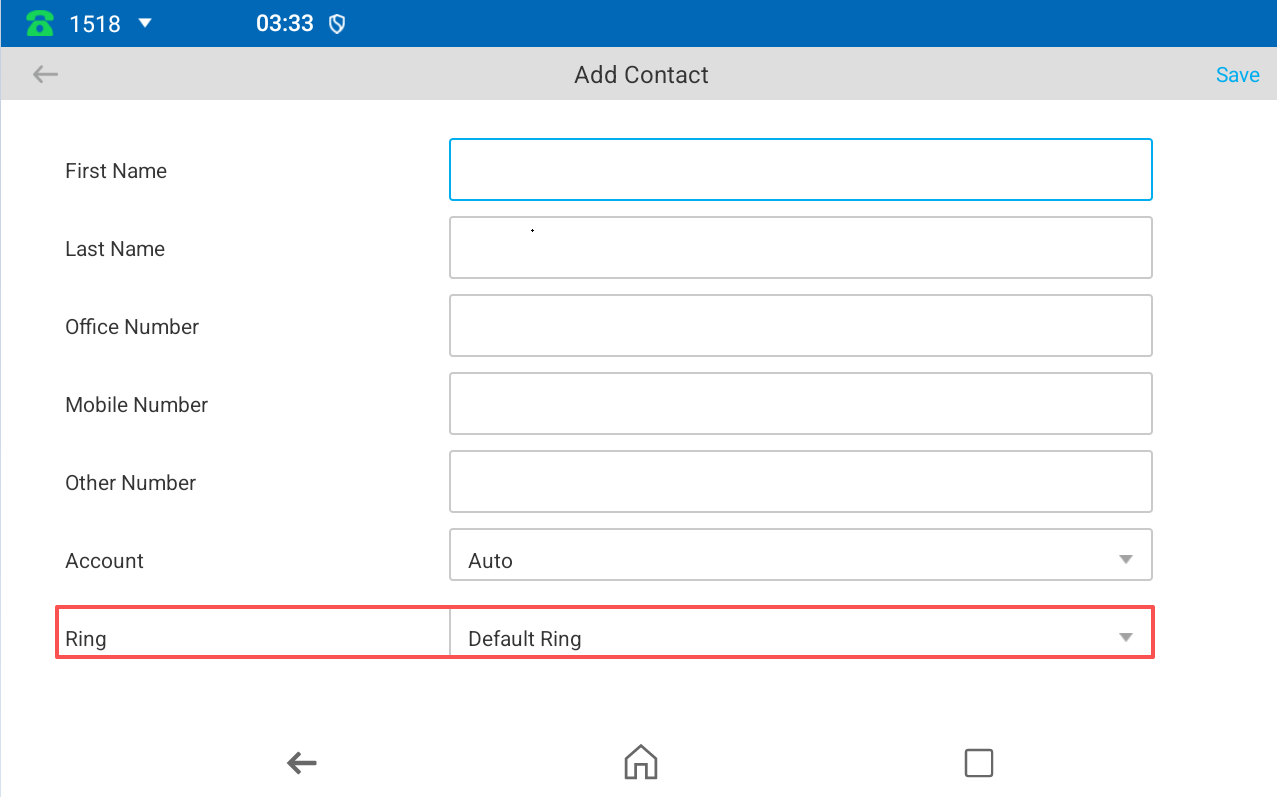
- Configure Alert Ring
Alert Ring could help you when you want to distinguish some types of incoming calls, like internal calls and external calls.
On the webpage, Features -> Alert Ring.
Enter the key word that incoming call contains.
For example, when an external call is coming, the PBX may send an INVITE message which contains the line:Alert-Info: <http://127.0.0.1>;info=external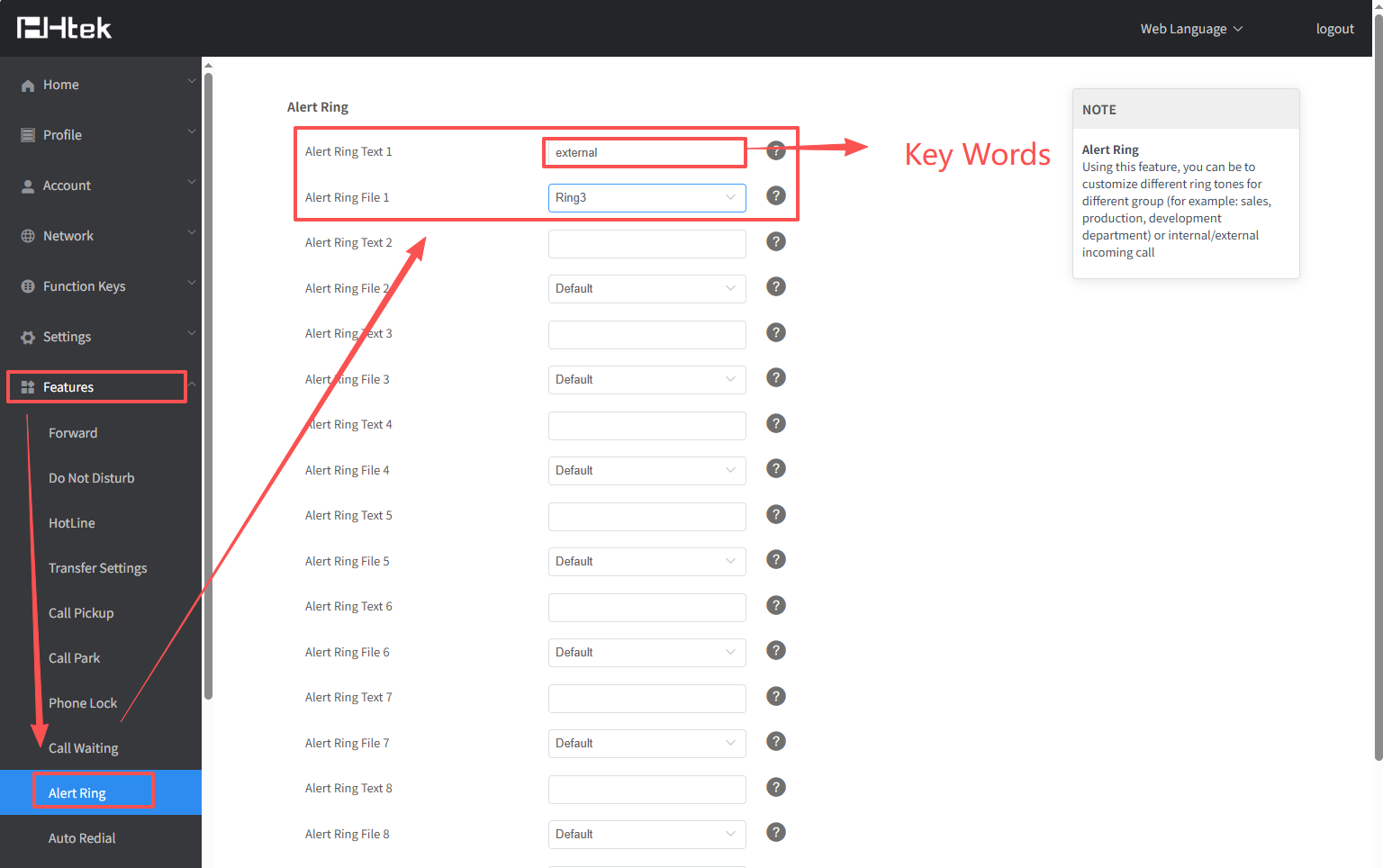
TIPS
This feature needs the support of your PBX, please contact your administrator if you have no idea about it.