








Display and Settings
How to set auto scheduled reboot in SIP phone?
If you want to reboot your phone immediately, you can enter the phone’s web interface and click Management->Reboort .
If you want to set auto scheduled reboot in your phone, you can enter Management->Auto Provision. Turn the Auto Reboot on and set the reboot time.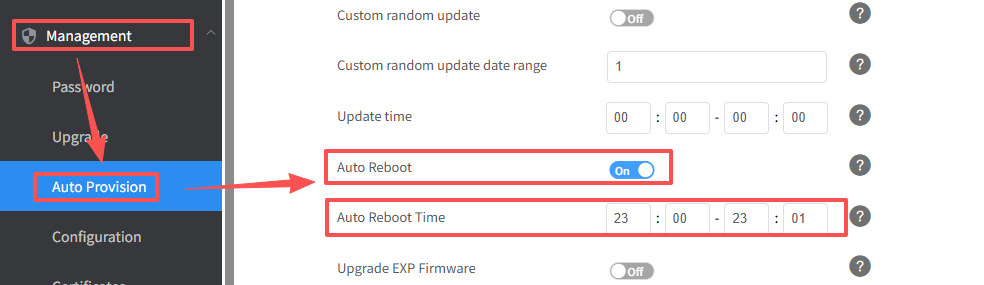
How to set a dial plan?
Regular expression, often called a pattern, is an expression that specifies a set of strings.
A regular expression provides a concise and flexible means to “match”(specify and
recognize) strings of text, such as particular characters, words, or patterns of characters.
Regular expression is used by many text editors, utilities, and programming languages to
search and manipulate text based on patterns.
Regular expression can be used to define IP phone dial plan. Dial plan is a string of
characters that governs the way for IP phones to process the inputs received from the IP
phone’s keypads. This phone supports dial plan with following accept digits:
1,2,3,4,5,6,7,8,9,0,*,#
You need to know the following basic regular expression syntax when creating dial plan: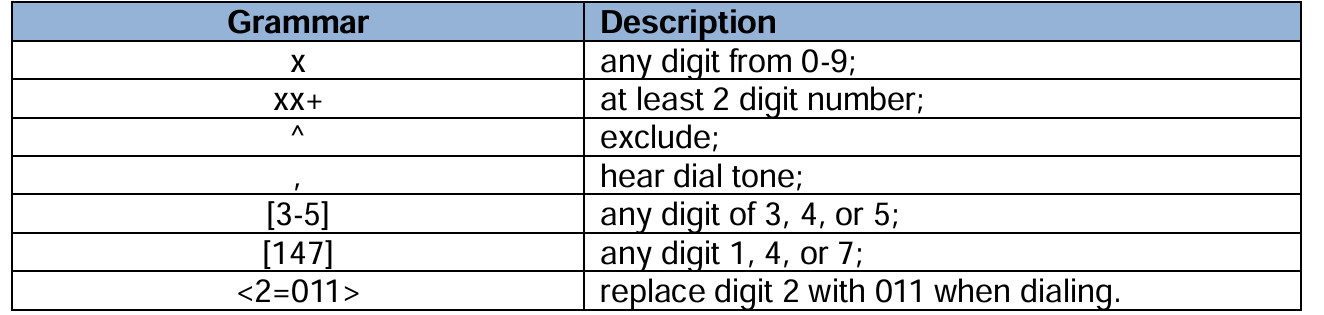
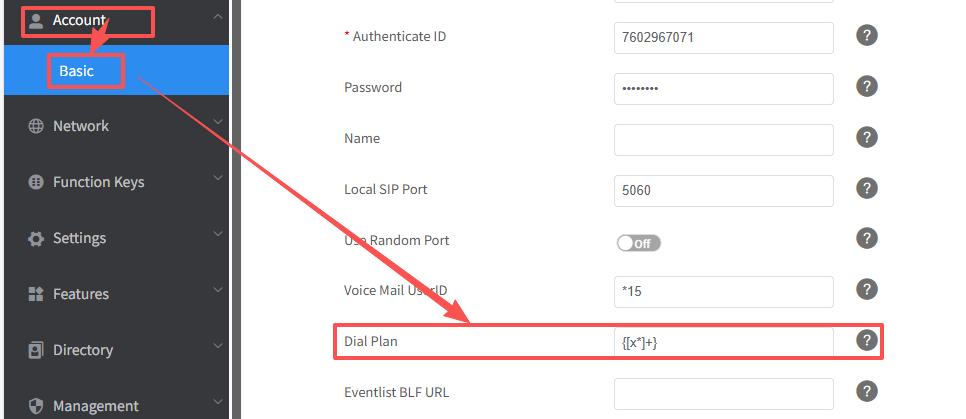
You can set a dail plan as following steps:
- Enter Account→Basic→Dial Plan.
- Filled the value in dial plan field.
- Click SaveSet to save the configuration.
How many languages could Htek’s phone supports?
- Currently supports 8 languages on Hanlong phone.
- Htek phone could support to show all global languages, if you have requirement to show your language, we will make the OEM FW to show your language on the phone.
When I in a submenu in the LCD, is there somekey that I press to back to the home menu?
You can do one of the following steps to back to the home menu:
- When you are in a Submenu, and want to back to the home menu, you can press the <- key beside the navigation key to back to the home menu.
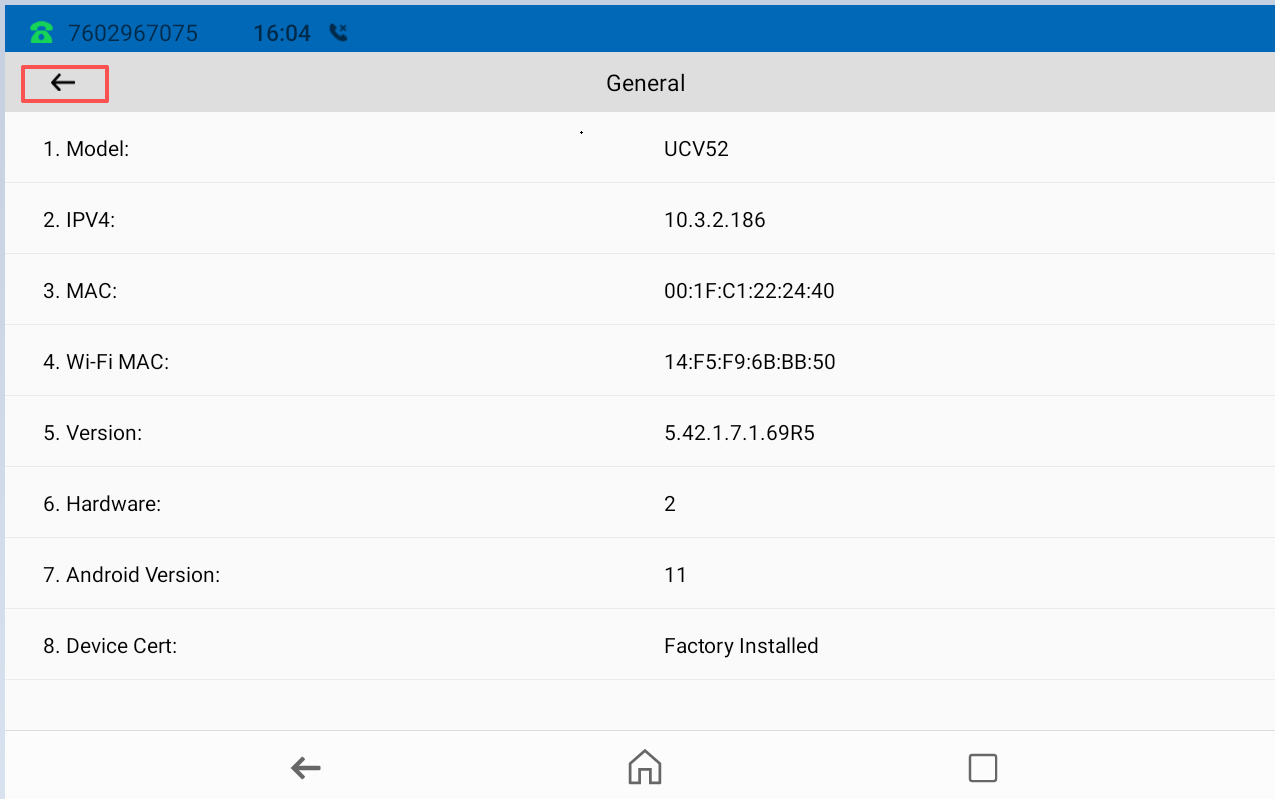
- You can also pick up and hang off the handset, the phone will aslo back to home menu.
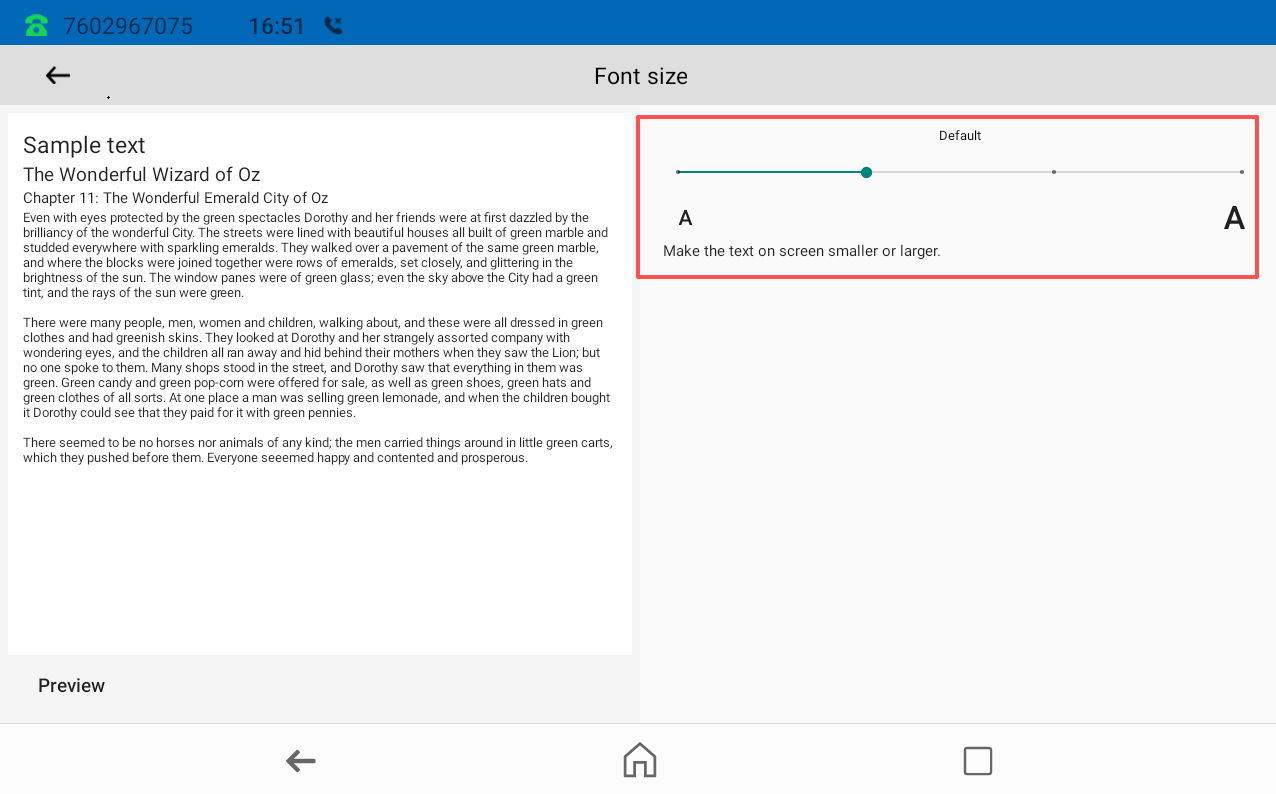
Could the font size in the LCD menu be changed?
You can do as the following steps:
- Enter Settings->Basic->Display->Front Size.
- You can adjust the displayed font size by dragging this slider.