








FAQ
Calling
Why couldn’t the phone dial out after enter the number?
Please check the setting:
- Login webpage,and click Settings->Preference.
- Set the NO key entry time-out: the default setting is 0, which means it will never dial out unless you press the send key after number entered. You can fill the blank with the time you need, as 4 or 5 in senconds.
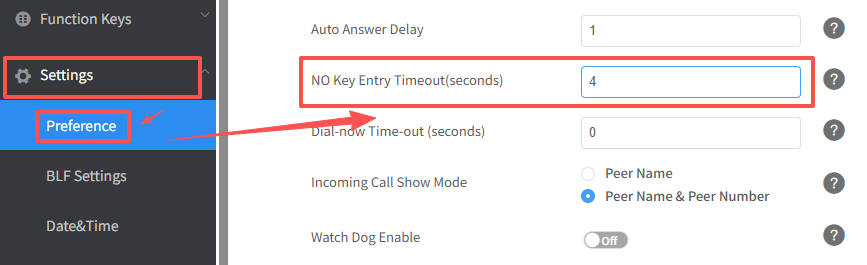
(IP phones will automatically dial out the entered number after 4 seconds)
TIPS
− Dial-now Time-out
IP phones will automatically dial out the entered number, which matches the dial plan,
after a specified period of time.
− No key Time-out
IP phones will automatically dial out the entered number after a specified period of time.
How could I make a multi-way conference call?
Do as the following steps:
- Dial one number with one account, after the phone is picked up, switch to another account to dial another number.
- After the phone is picked up, press the conferene soft key on the phone, then the 3-way conference is established. You can add more person into the conference call in this way. You can make at most 5-way conference.
- For detailed instruction on how to make a multi-way conference call, please download here.
How could I use Intercom and Paging?
You can do one of the following:
-via web interface
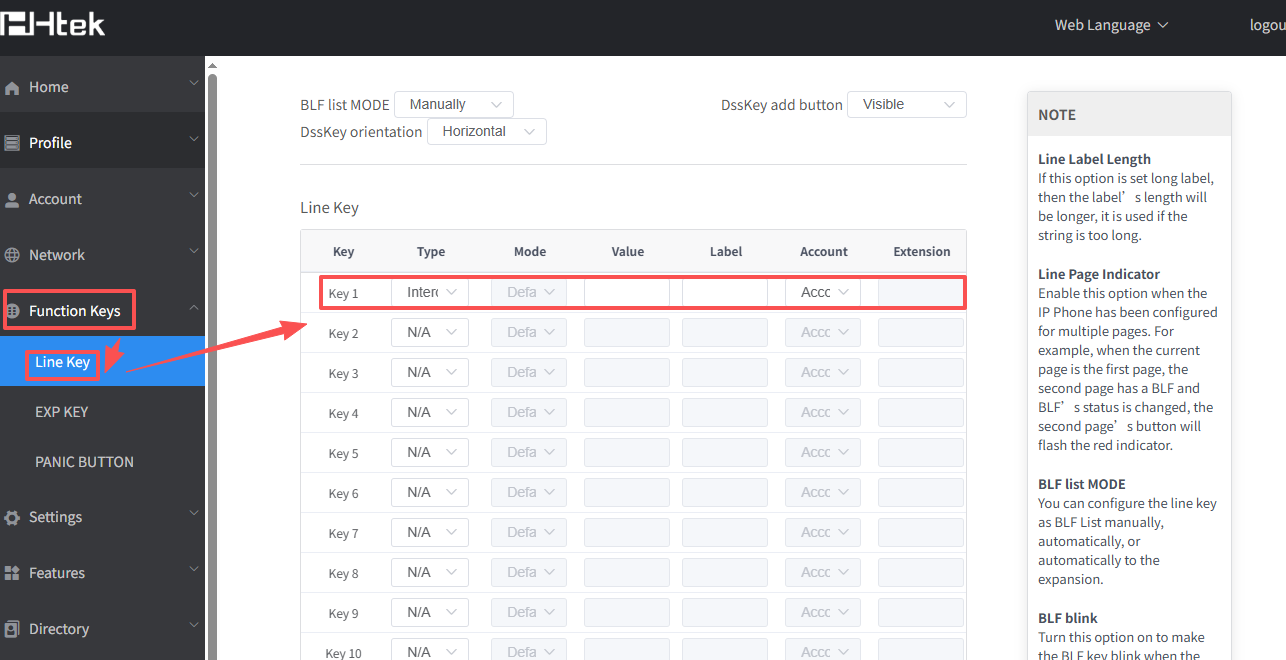
- You can set the Intercom/Paging on Webpage->Function Keys->Line Key.
- Choose the type as Intercom/Paging, input the number in Value, and select the Account you want to push in the configuration.
-via phone interface
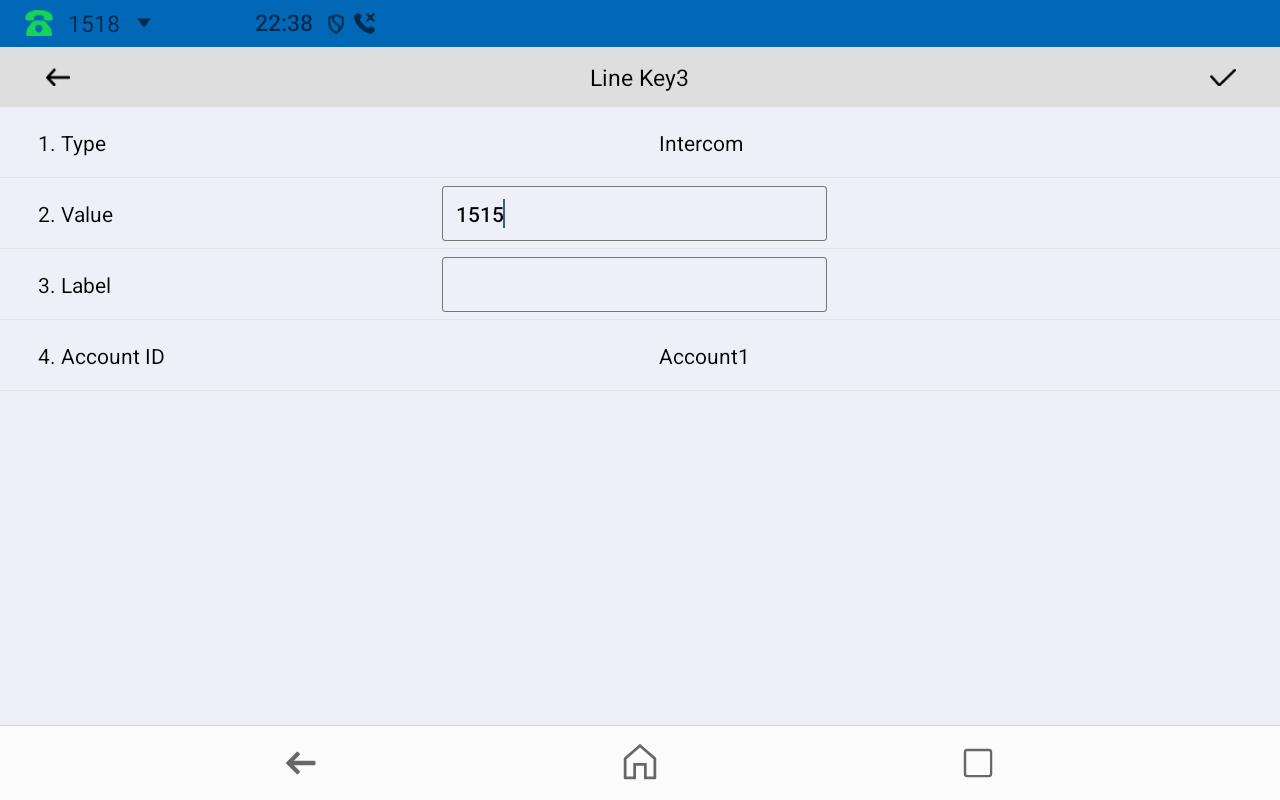
- You can also set Intercom/Paging on LCD, Menu->Features->Function Key as Line Keyn.
- Choose the Type as Intercom/Paging, input the number in Value and select the Account you want to push in the configuration.
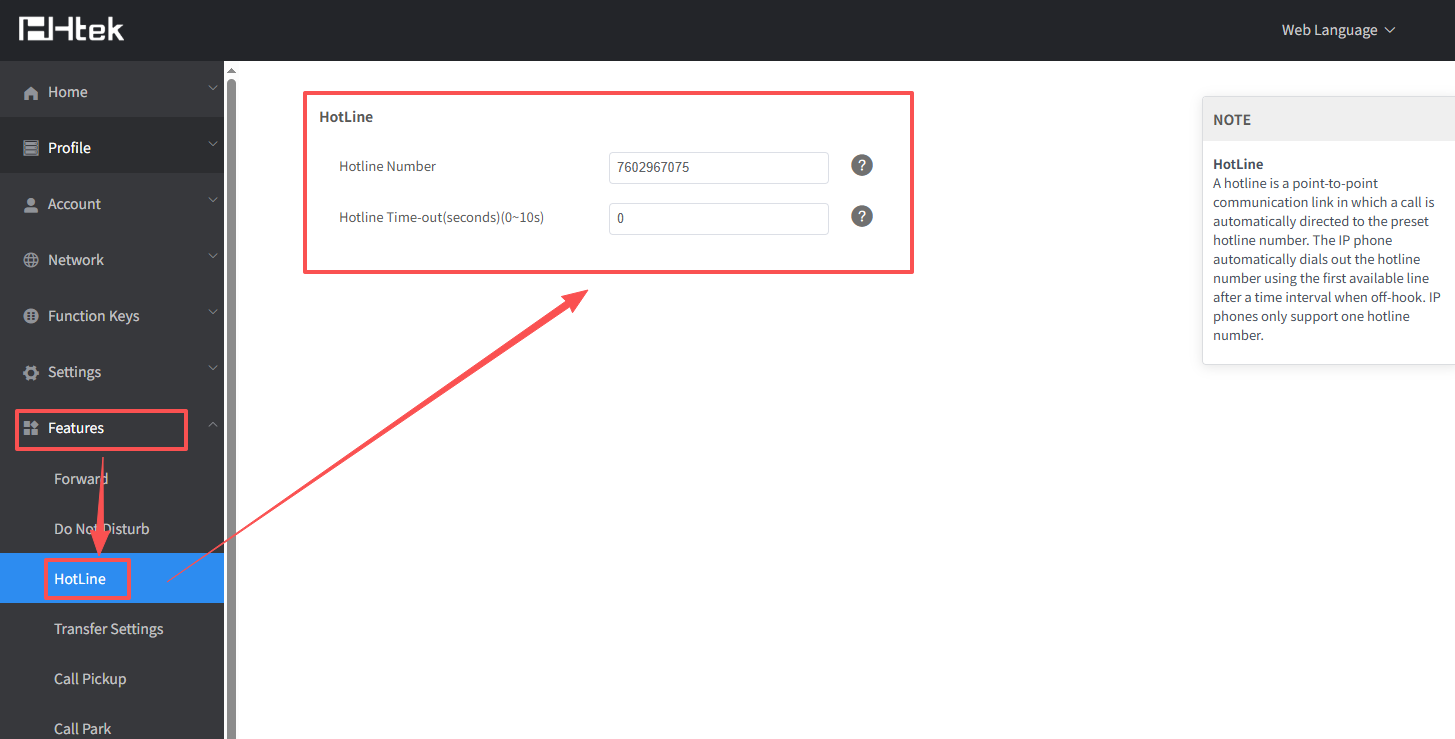
If I pick up the headset, I want the phone dial one number automatically, could this be realized?
You can do as the following step:
- Log in the webpage, enter Features->HotLine, and fill in the HotLine Number.